Redpen

Features

One system, from the enquiry to the invoice.

Every part of Redpen, in the order work moves through a drawing office. Each one hands its work to the next, so nothing is typed in twice. The screens are real, from a demo workspace whose firms and projects are invented.

  1. 01

    Win the work

    Know the client, price the job, get the yes with a PO.

  2. 02

    Run the job

    One home per job: the plan, the people and everything said.

  3. 03

    Deliver to standard

    Drawings issued, approved and on the record.

  4. 04

    Get paid

    Invoices from the work itself, chased when they're late.

  5. 05

    Around it all

    Your clients and your team, each seeing what they should.

01 · Win the work

Contacts

Know who you're calling, and what you promised.

Every firm and every person you work with, with their projects, every call and email logged, and the follow-ups you promised.

  • Calls, emails and meetings, dated
  • Follow-ups due, listed in one place
  • Agreed rates recorded, so the next quote prices from them
Directory · Person
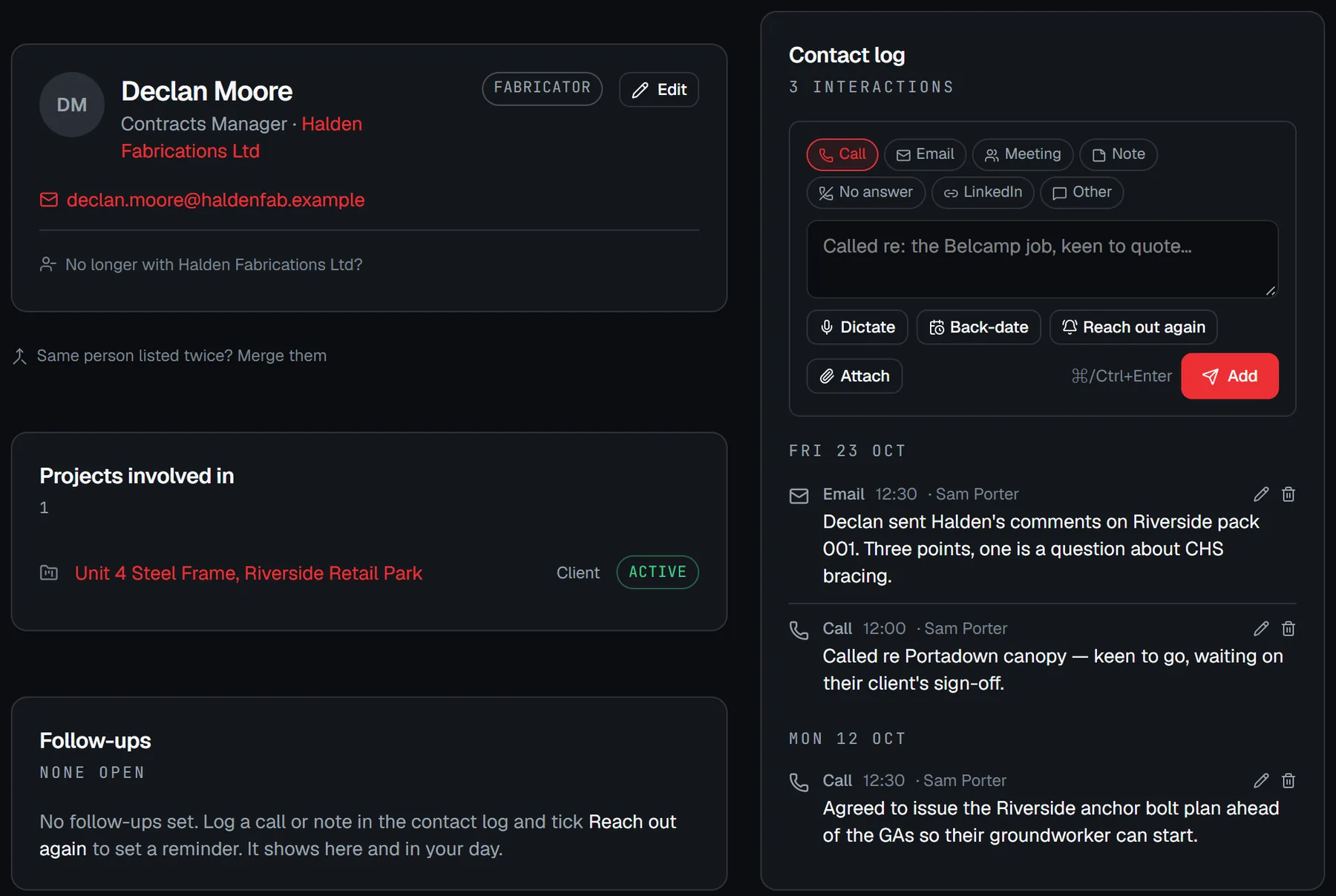
A person's page in an example workspace: their company, the projects they were on, follow-ups, and a dated contact log of calls and emails.

Estimator

The draft does the typing. You decide.

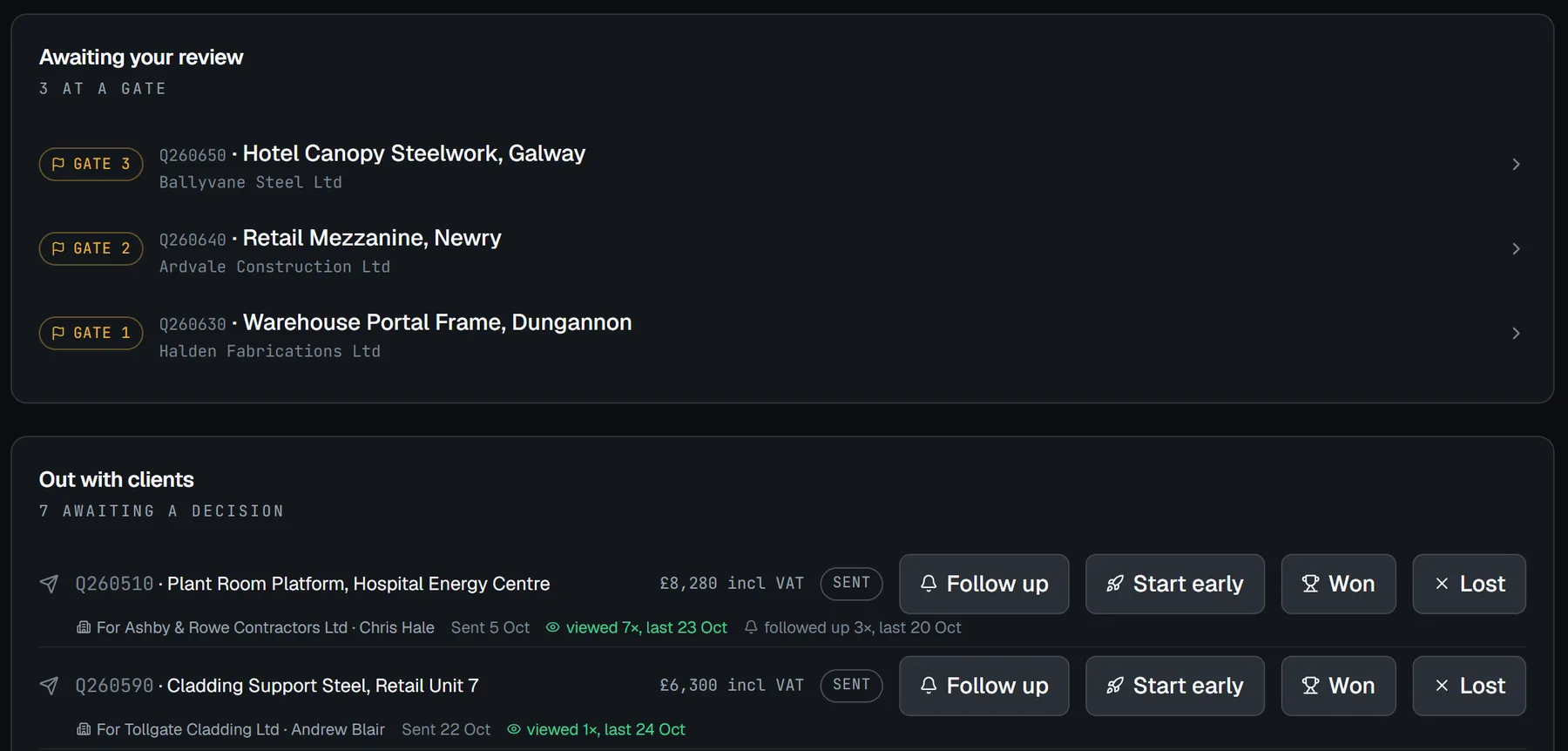
Drop in the drawings and the enquiry. Redpen drafts the quote, then stops at three gates for a person to check the brief, the pricing and the quote itself.

  • Nothing reaches a client until a person passes the last gate
  • A checklist before it goes: number, tax rate, a real email
  • Every quote out shows how often it was opened
Quotes
The quotes page in an example workspace: jobs waiting at a gate for review, and quotes out with clients showing how many times each was opened and chased.

Quoting

Accepted, with the PO, straight onto the board.

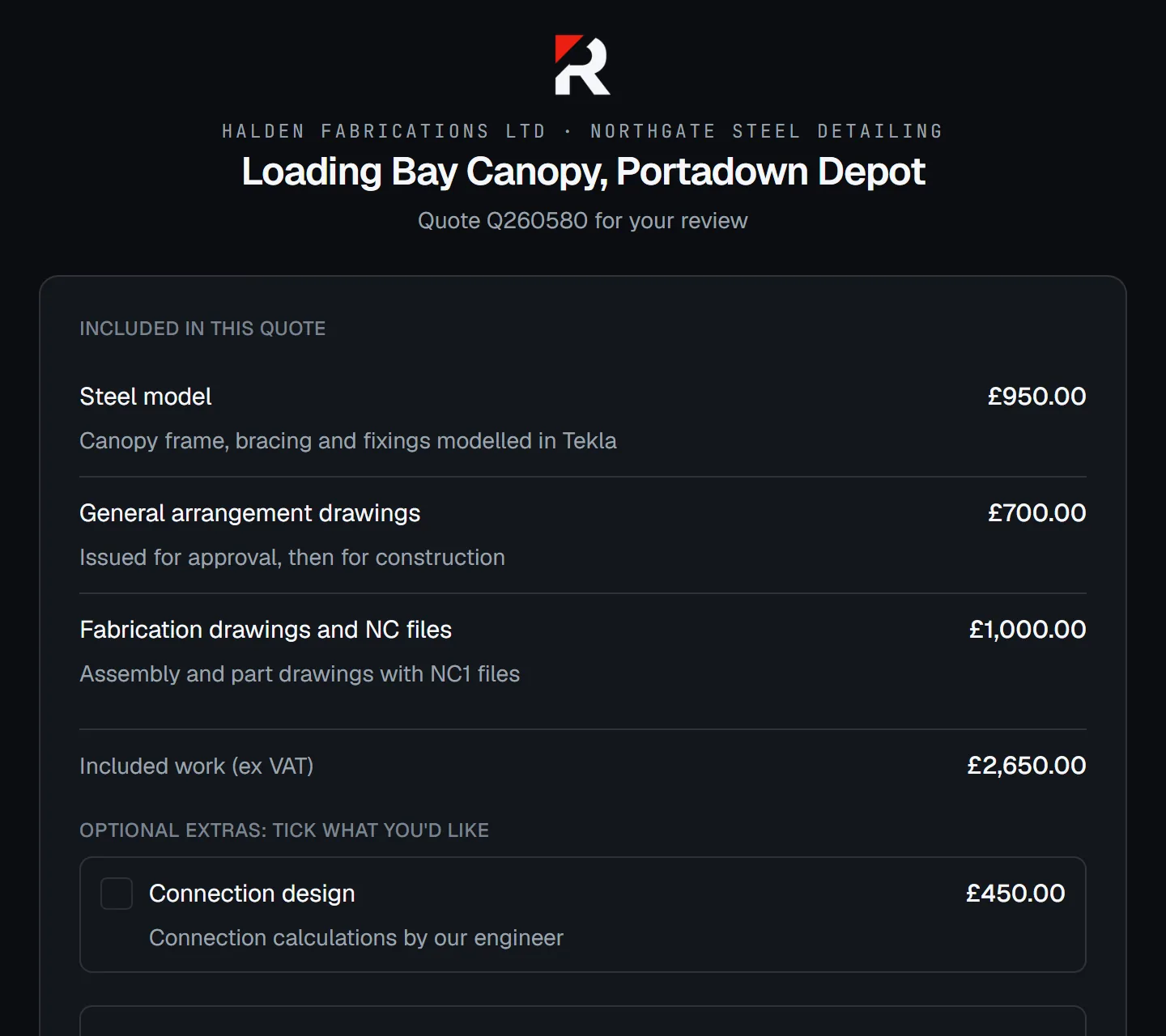
Your client opens the quote on a link, in your branding, and accepts with their purchase order attached. Redpen creates the job, the project and the first invoice in one step.

  • No logins for your client
  • The PO captured at the moment they say yes
  • Follow up writes the chase email for you
Client quote page
A client's view of a quote from an example firm: the scope line by line, an optional extra, and the total.

02 · Run the job

Projects

One home for every job.

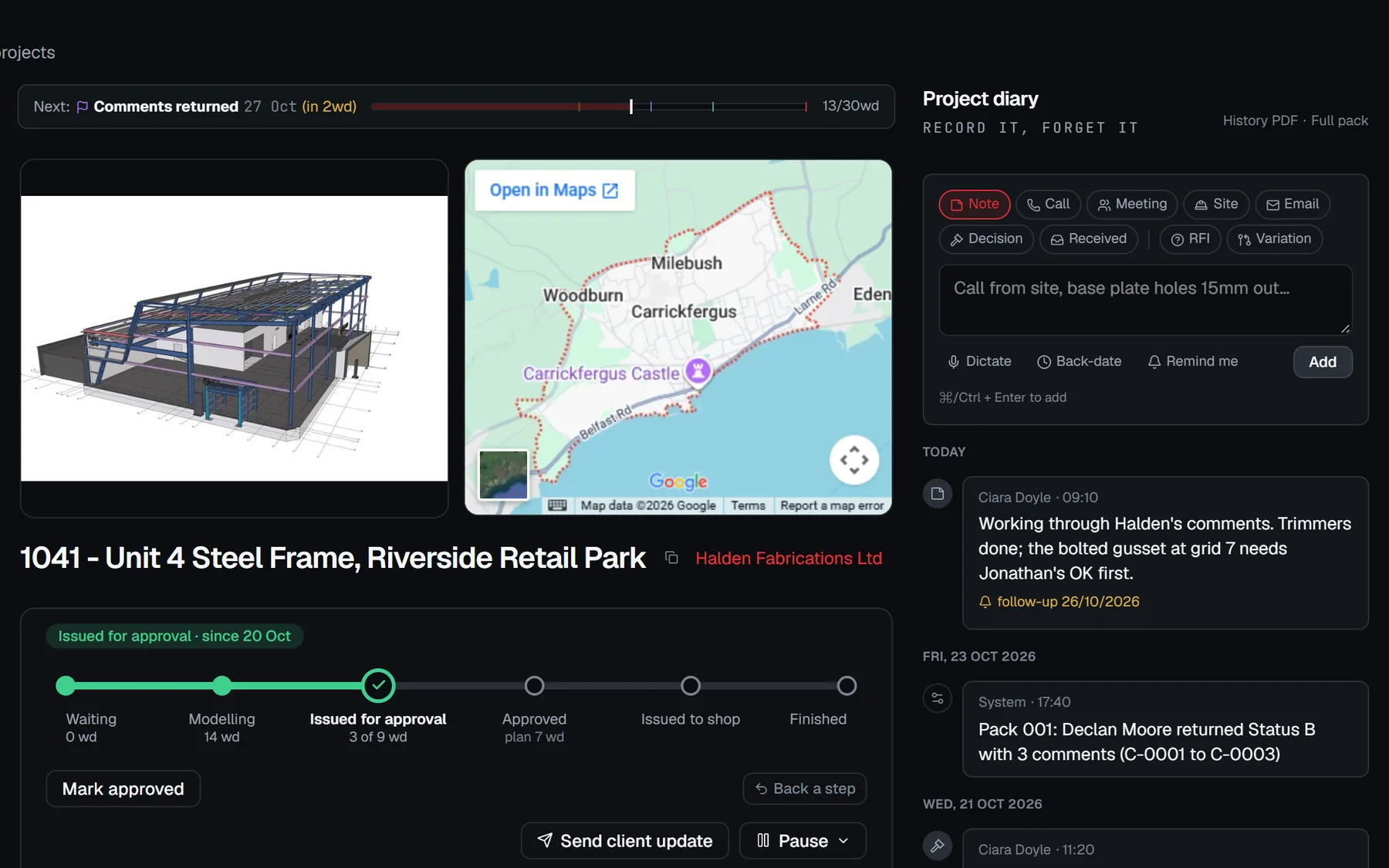
From the day it's won to handover: the stage it's at, the programme, the drawings, every file received and every question asked.

  • A stage track from Waiting to Finished
  • Files received, with who sent them and how
  • The project diary always on the right
Projects · Job
A project page in an example workspace: the job's model and site, its stage track, and the project diary alongside.

Delivery board

Who is free. Who is over.

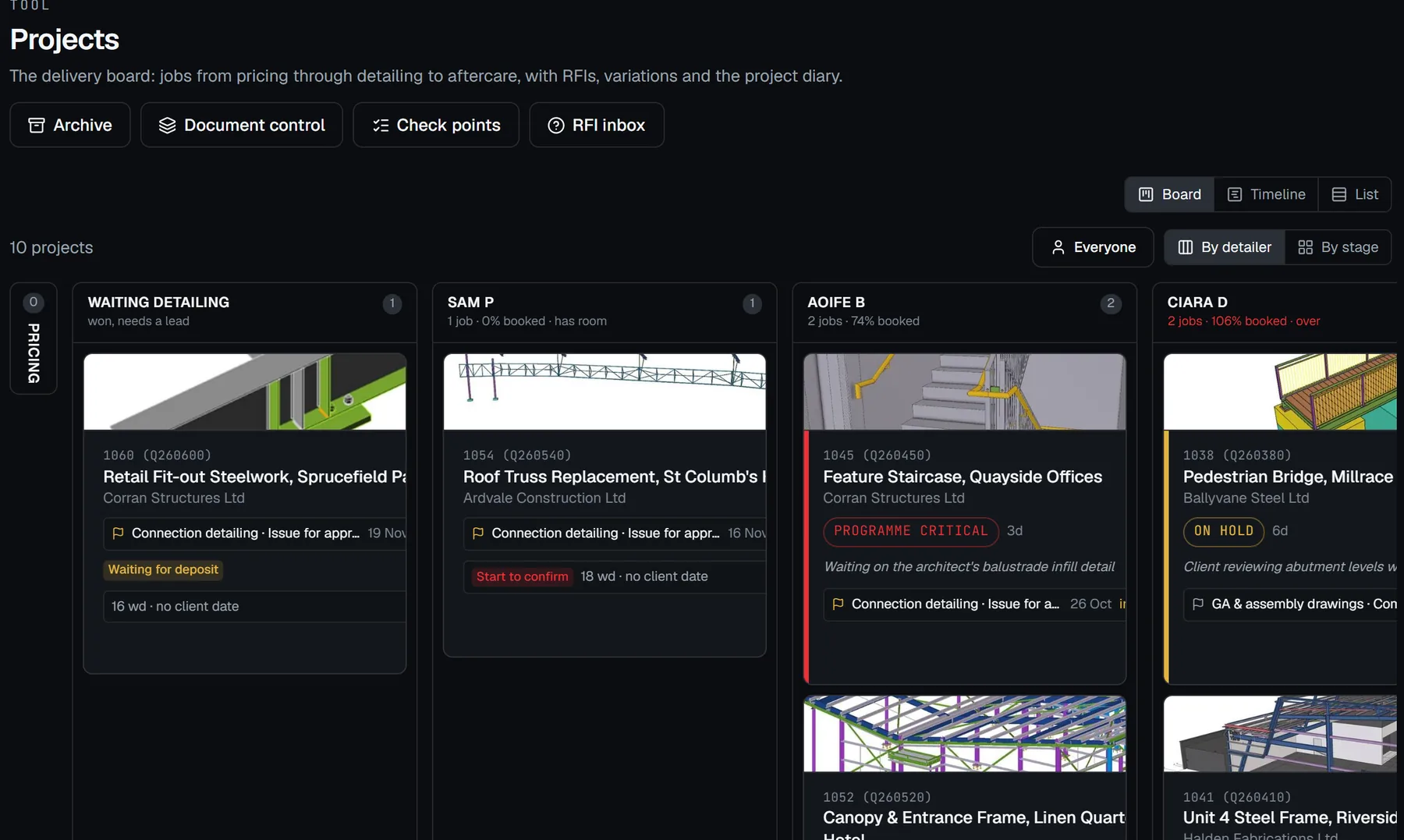
Every job from pricing to finished, one column per detailer, with each person's load for the next two weeks.

  • Drag a card to a detailer to make them lead
  • Over 100% shows in red, under 60% has room
  • Stages move themselves as gates are ticked
Projects · Board
The delivery board in an example workspace: a column of waiting jobs, then a column per detailer with their booked load.

Programme

A programme that moves with the job.

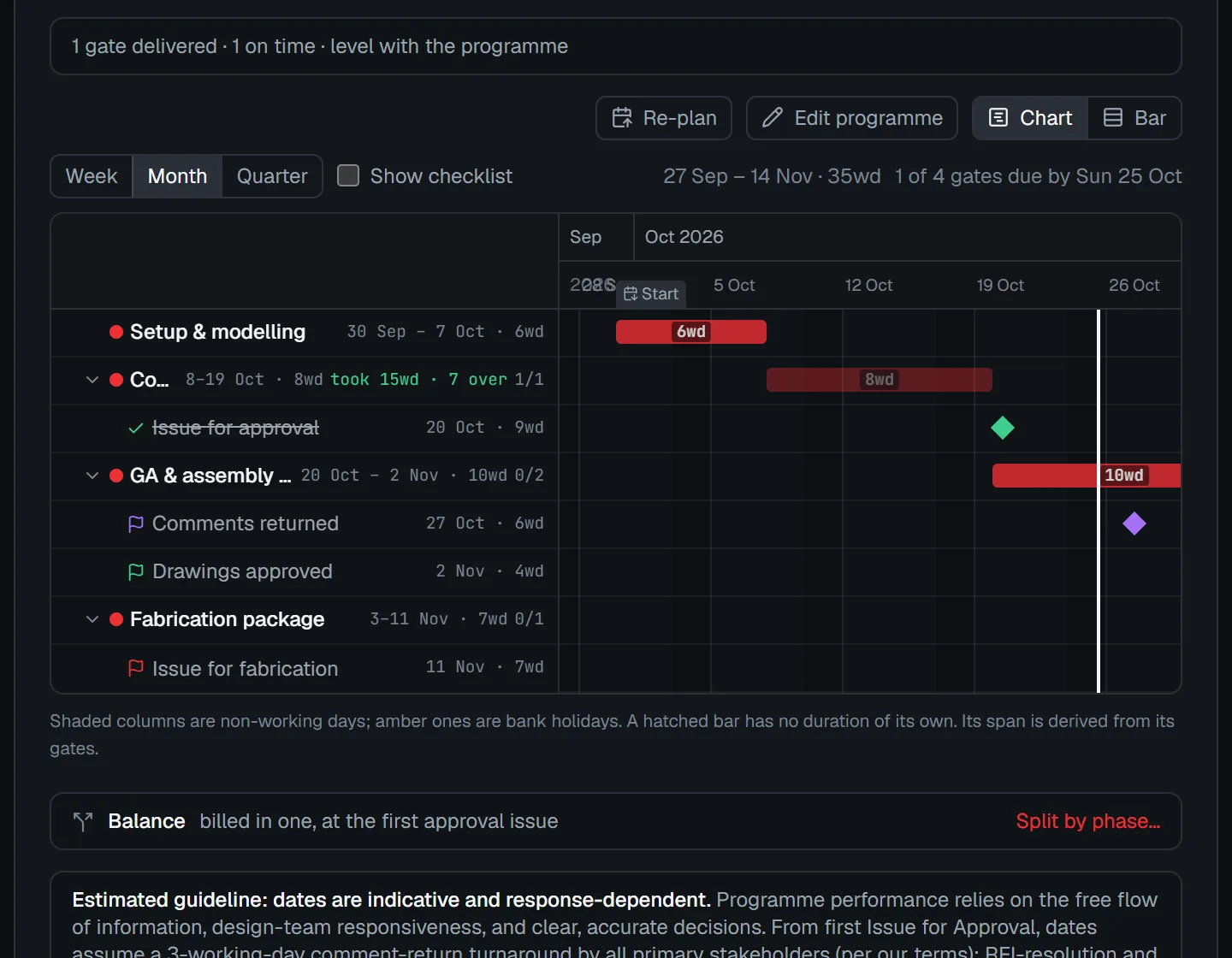
Phases, tasks and gates on one chart. Set the real start date and the whole programme follows. Paste a numbered list and each line becomes a step.

  • Gates for the points that matter
  • Slip logged against a frozen baseline
  • Jobs whose next gate has passed, listed worst first
Projects · Programme
A job's programme chart in an example workspace, with phases, tasks and gates across the weeks.

Project diary

Record it. Forget it.

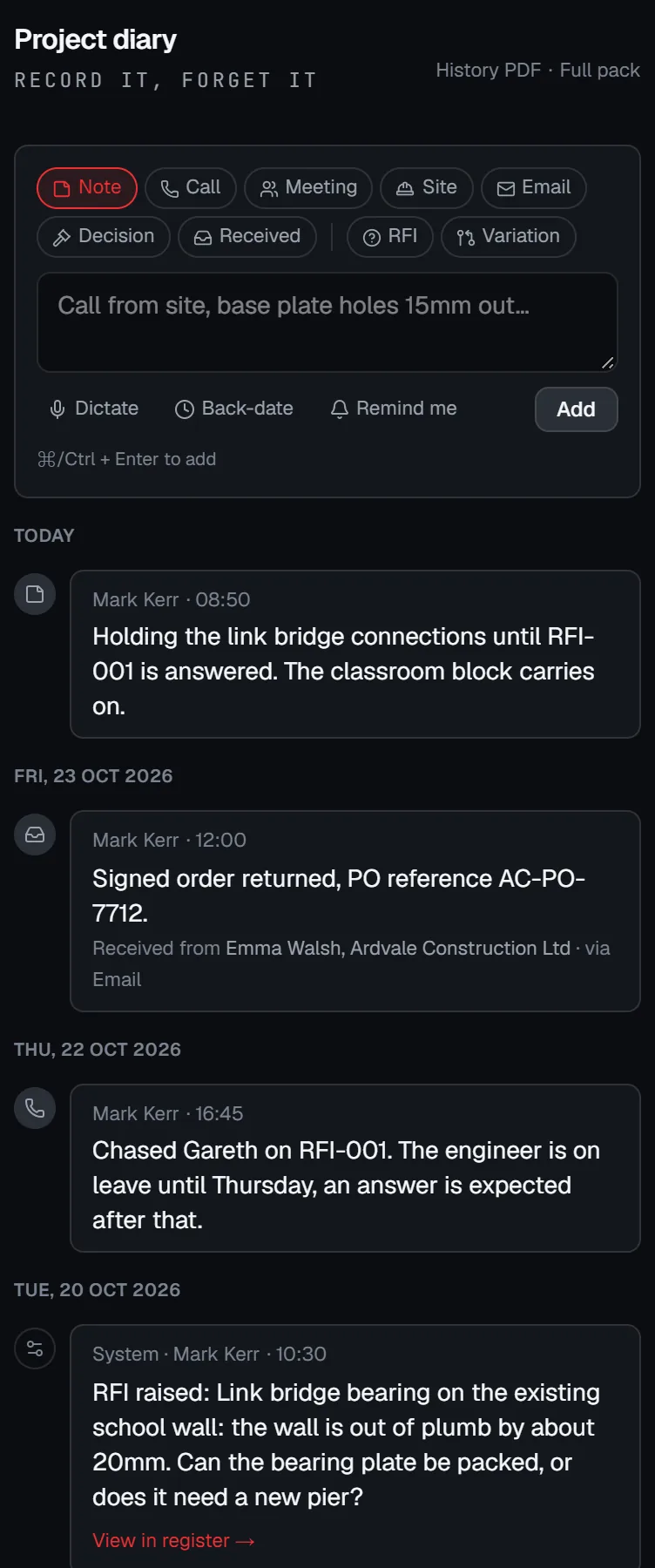
Every call, site visit, email and decision, logged in seconds on the right of every job. RFIs, variations and milestones log themselves.

  • Drop in files and emails, or dictate
  • When it happened and when it was recorded, both kept
  • Export the whole record when it matters
Project diary
The project diary on a job in an example workspace, with calls, received files, decisions and system entries logged by date.

RFIs and variations

Every question. Every change. In writing.

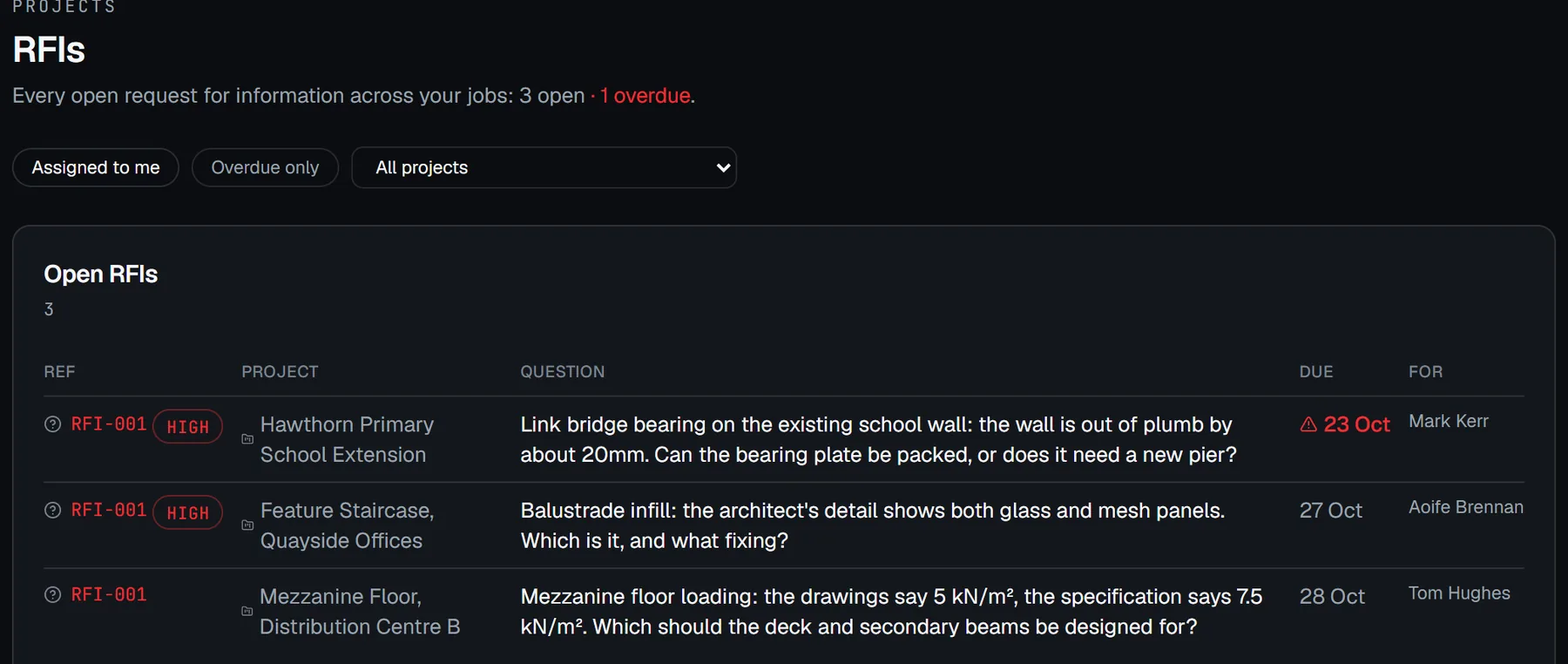
RFIs issued with a respond-by date and answered on a link. Variations priced from your day rate and approved in writing before the work.

  • Every open RFI across every job in one inbox
  • Follow-ups stay on the same RFI
  • Registers you can export as a PDF or spreadsheet
Projects · RFIs
The RFI inbox in an example workspace: open questions across jobs, with their priority and respond-by dates, one overdue.

03 · Deliver to standard

Drawing register

One live revision. Every drawing.

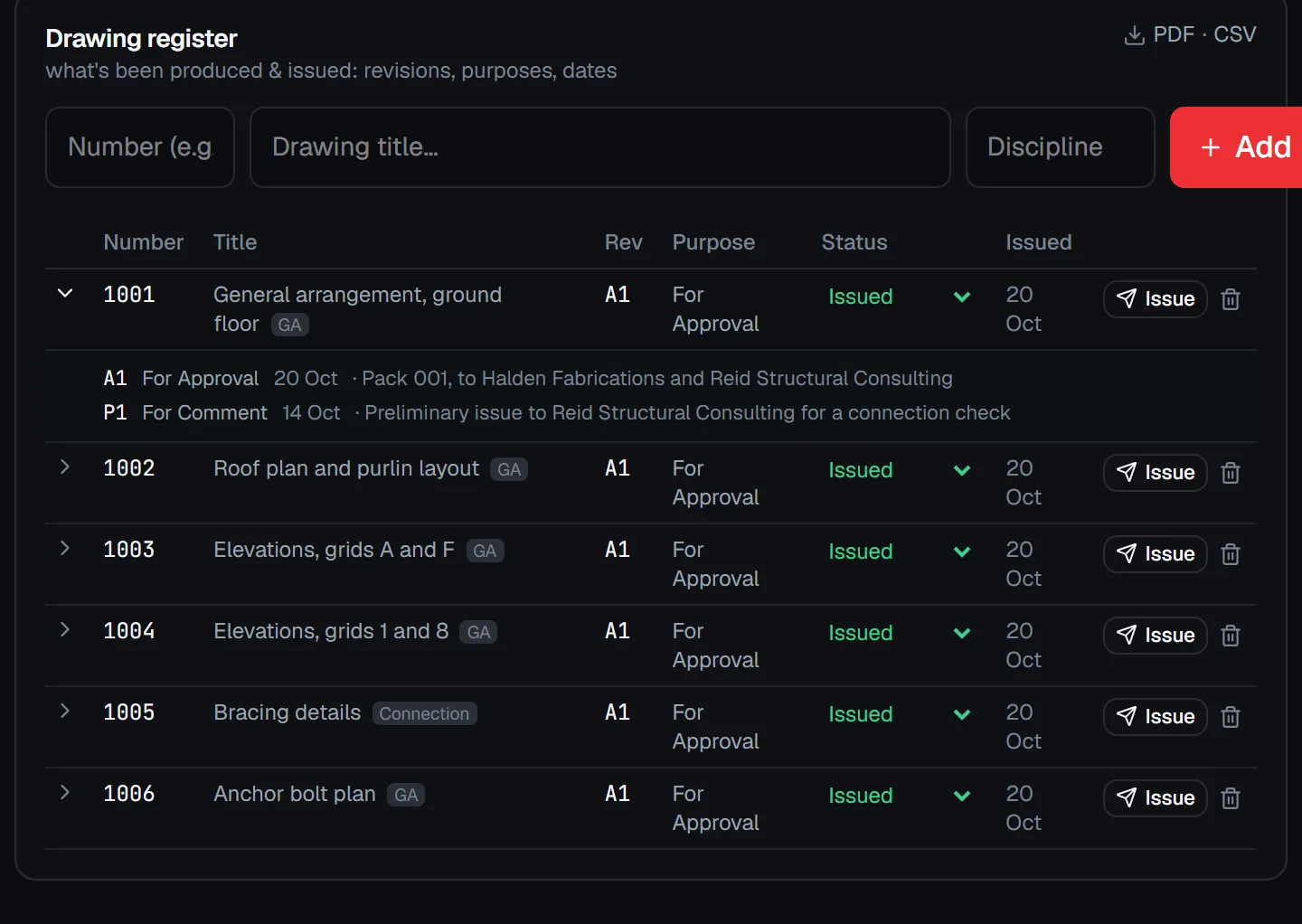
The schedule of drawings on a job, each with its live revision and status, and the history of every issue behind it.

  • When it went, what for, and to whom
  • The next revision suggested for you
  • Download the register for anyone, with no prices in it
Projects · Drawing register
A drawing register in an example workspace, with one drawing opened to show its issue history.

Drawing approvals

Who is holding the drawings?

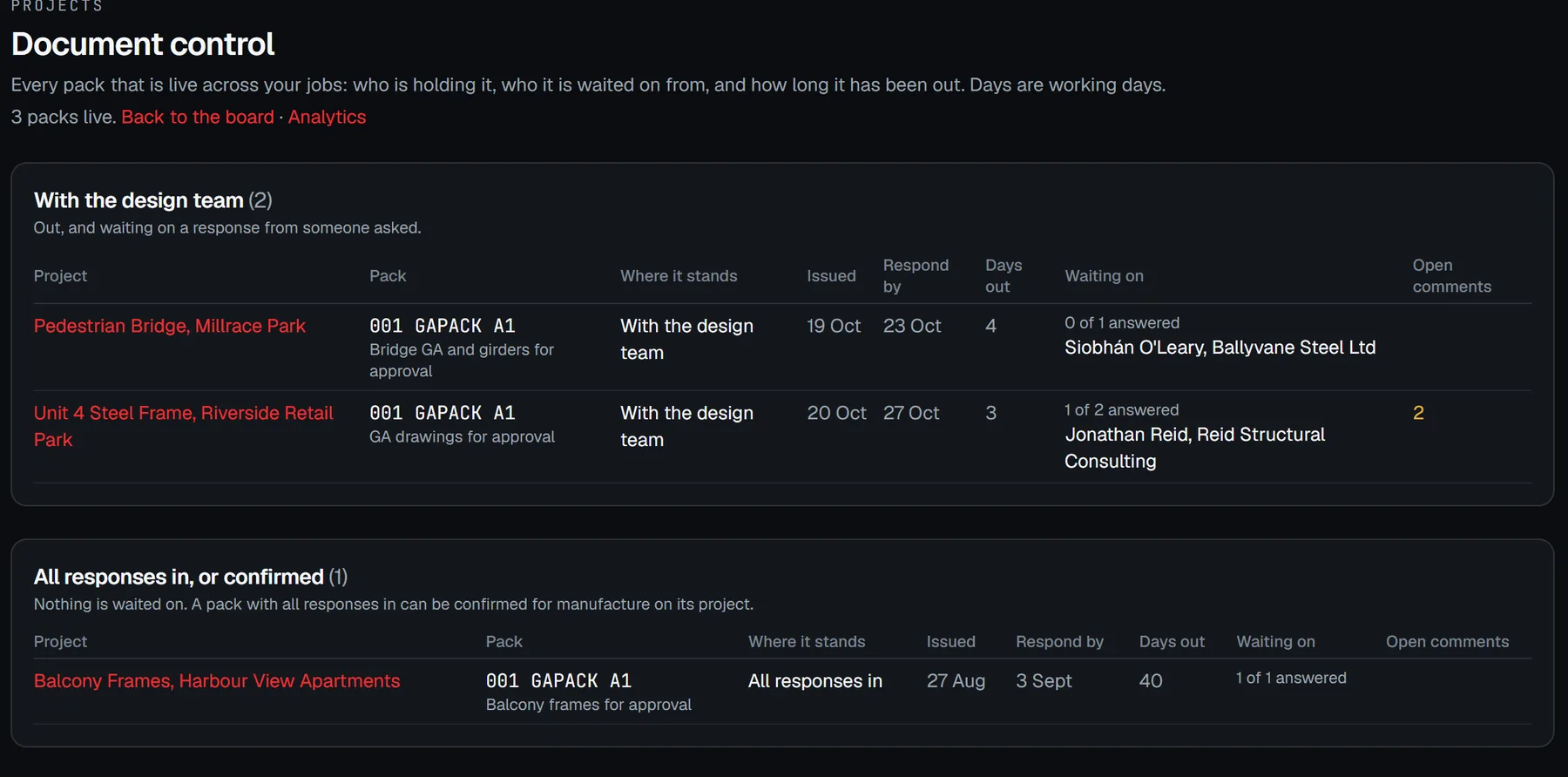
Issue drawing packs for approval on a link, see who has opened them, collect Status A, B or C, and work every comment to a close.

  • Reviewers mark up in the browser, no login
  • Every pack across every job, and who it's waiting on
  • Numbered comments, each with your response
Document control
Document control in an example workspace: drawing packs out with the design team, how long each has been out and who it is waiting on.

04 · Get paid

Invoicing

Invoice from the won quote.

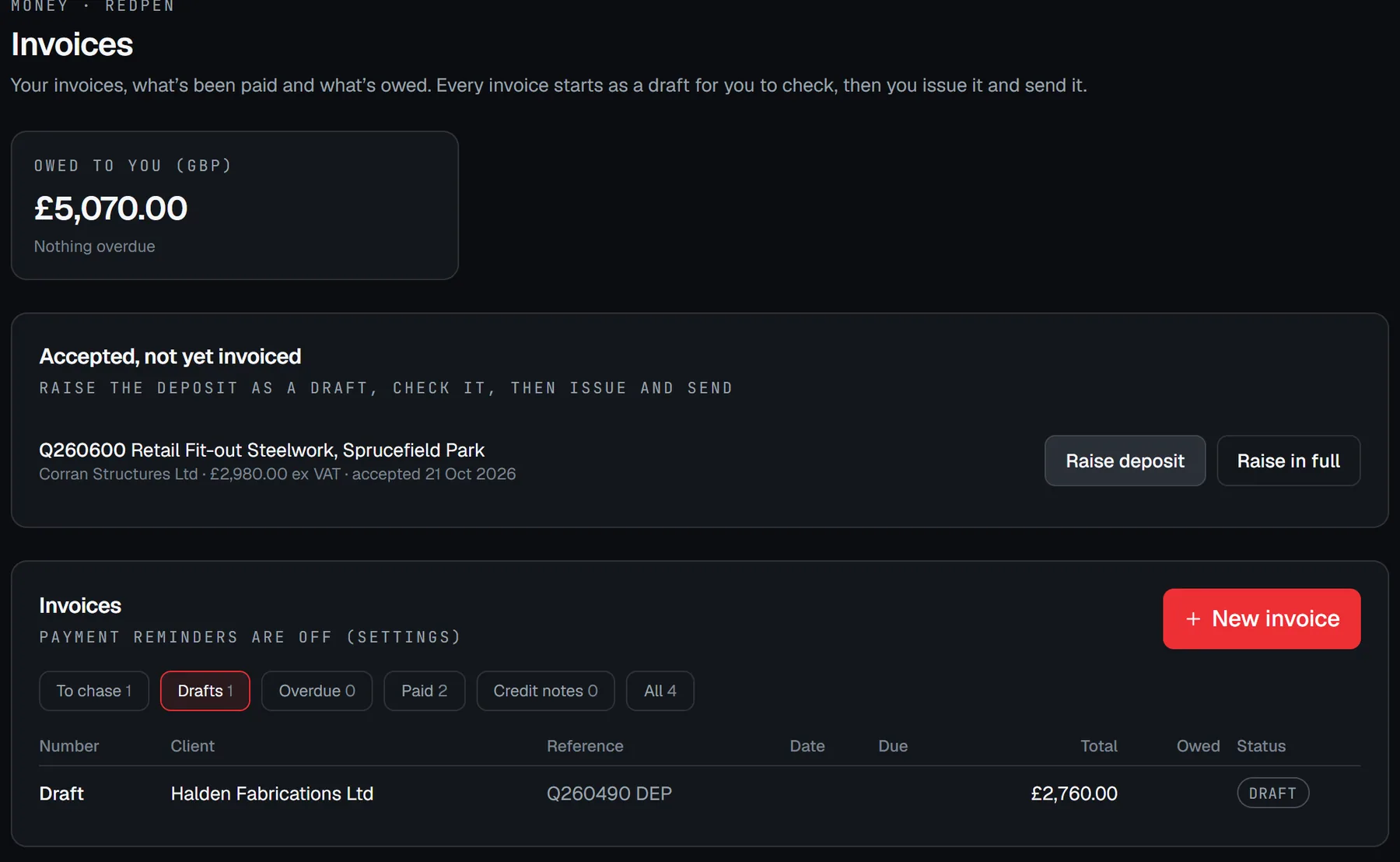
The first invoice is drafted from the accepted quote with the job and PO attached. Every invoice is checked and sent by a person, and chased on a schedule you set.

  • Accepted work not yet invoiced, listed
  • Payable on receipt by default, terms per client
  • Connect Xero if you keep your books there
Invoices
The invoices page in an example workspace: what's owed, accepted work not yet invoiced, and invoices by status.

05 · Around it all

What your client sees

Your name on every page. No logins.

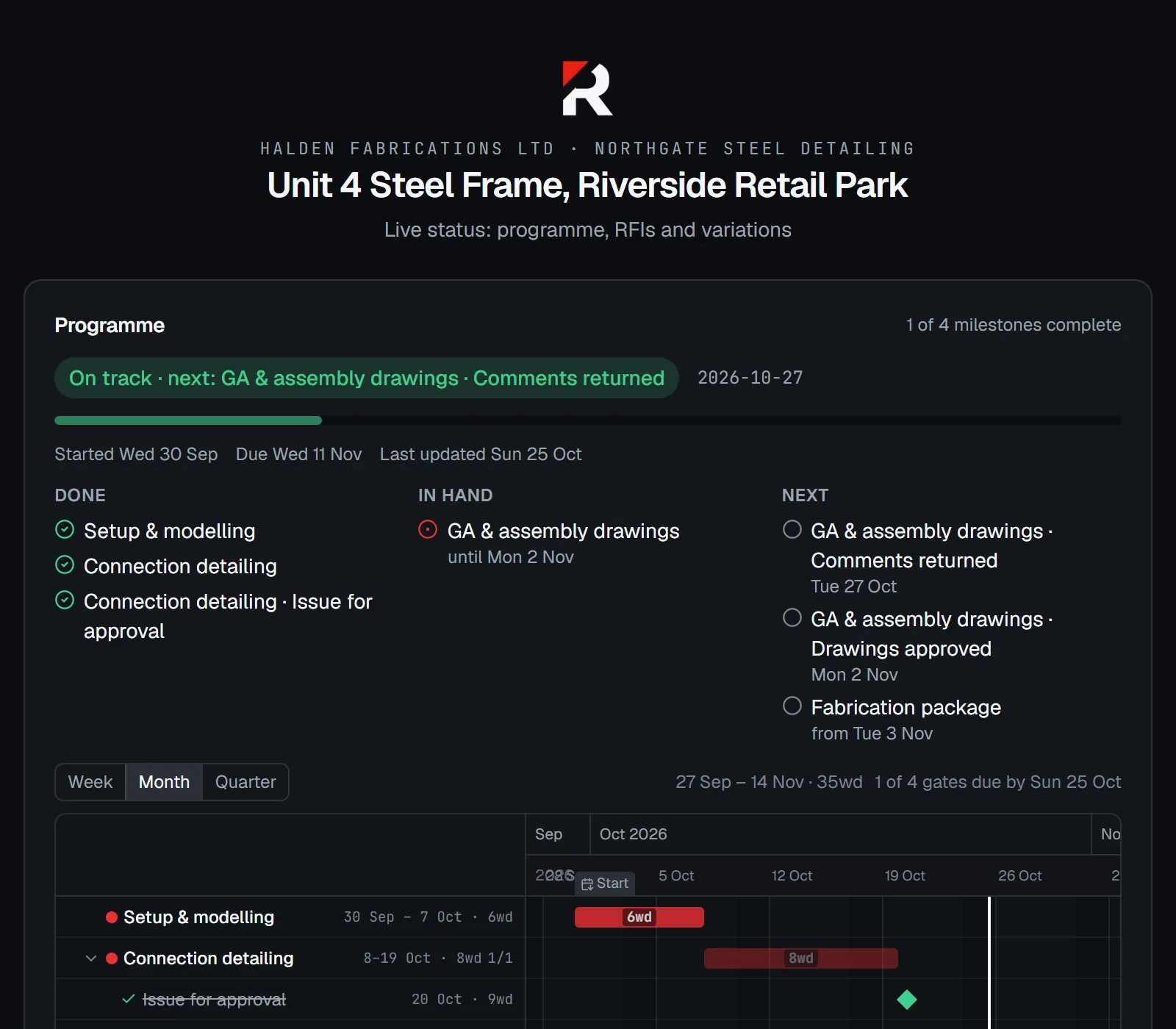
Quotes, drawing packs, RFIs, variations and a live job status, on pages in your own branding. The status link stops the "where are we?" call.

  • Your logo at the top of every client page
  • A live programme on a link
  • A portal for clients who want all their jobs together
Client status page
A client's live status page for a job from an example firm: what's done, in hand and next, and the programme.

Team

Everyone sees what they need. Nothing more.

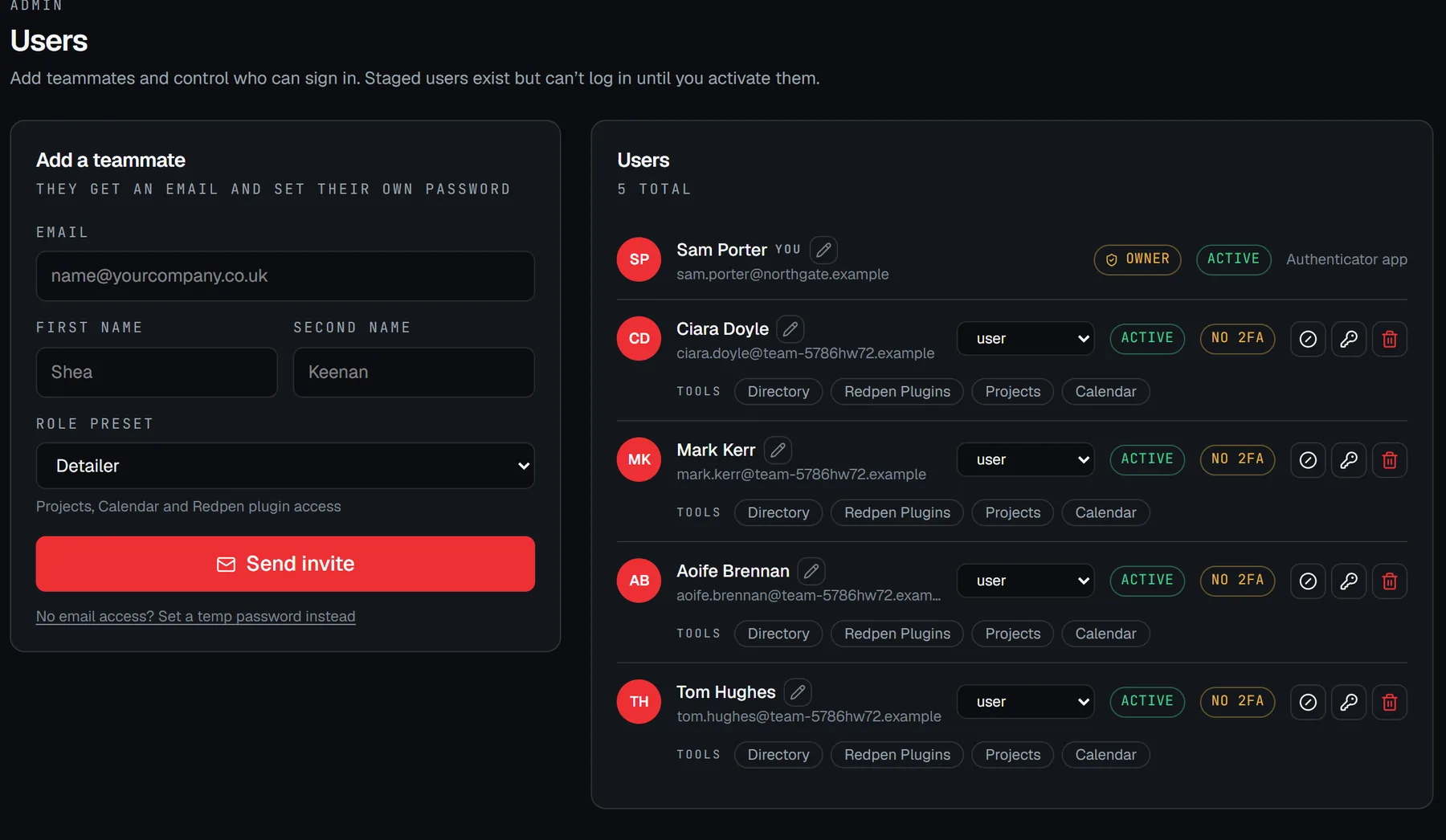
Invite your team in seconds and grant tools per person. Rates, billing and settings stay with the owner.

  • Role presets: Detailer, User, Admin
  • Clients get a portal login for their own jobs only
  • Deactivate someone and their access stops at once
Users
The users page in an example workspace: add a teammate with a role preset, and the team with their roles and tools.

Better seen on your own work.

Redpen is in early access with a small number of firms. Tell us about yours.

Request access