The platform for construction & fabrication firms
Win the work, deliver it to standard, on one platform.
Built in a working detailing office, for the industry. Redpen brings AI-assisted estimating, client management and standardised delivery into a single system, so the whole job stays on the record, from the first enquiry to the fabricated steel.
Early access · a few firms at a time
Why Redpen
Bring cutting-edge, AI-led workflows to your business.
Quoting in spreadsheets, clients in inboxes, deliverables that vary by whoever did them. It costs time and wins fewer jobs. Redpen pulls the commercial and delivery sides of the business into one system, with AI doing real work on the parts that matter most.
AI on your quotes
Cutting-edge AI, working on the work you’re bidding.
Redpen’s estimating assistant reads the enquiry, drafts the quote, prices the scope and works through the client negotiation with you. It’s the kind of AI workflow that used to be out of reach for a detailing or fabrication office, and it does real commercial work every day.
One system of record
Clients, quotes and jobs in one place, not ten spreadsheets.
Stop stitching the commercial picture together from inboxes, spreadsheets and memory. Redpen keeps every client, quote, project and variation connected, so you can see your pipeline and act on it.
The job on the record
Every RFI, variation and revision, where you can find it.
The awkward conversations are the ones that cost money a year later. Redpen keeps the delivery side of the job (RFIs, variations, the diary, the programme) attached to the quote that won it, so the history of what was agreed is there when you need it.
A look inside
The work on the record, not in someone's head.
Projects
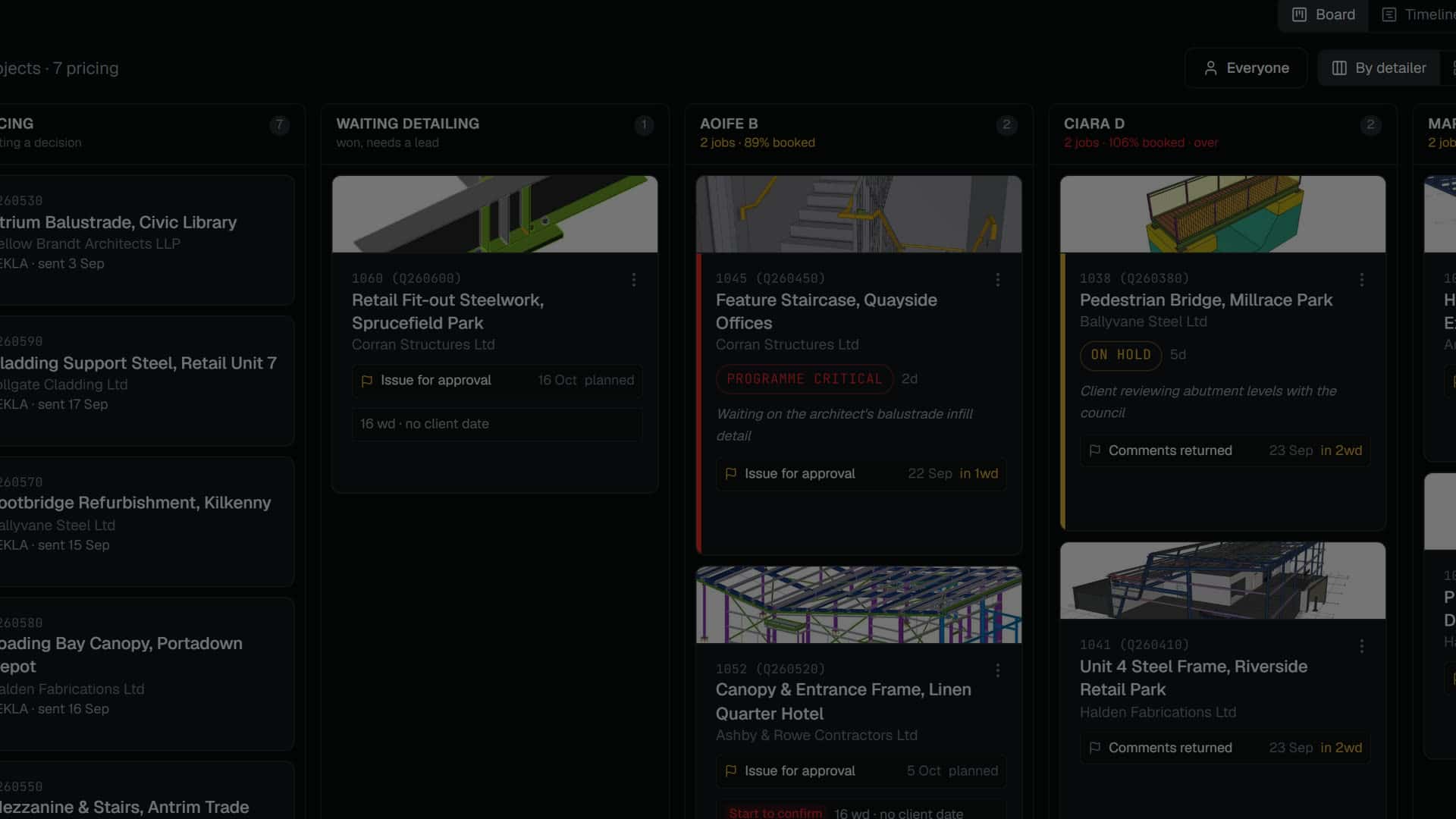
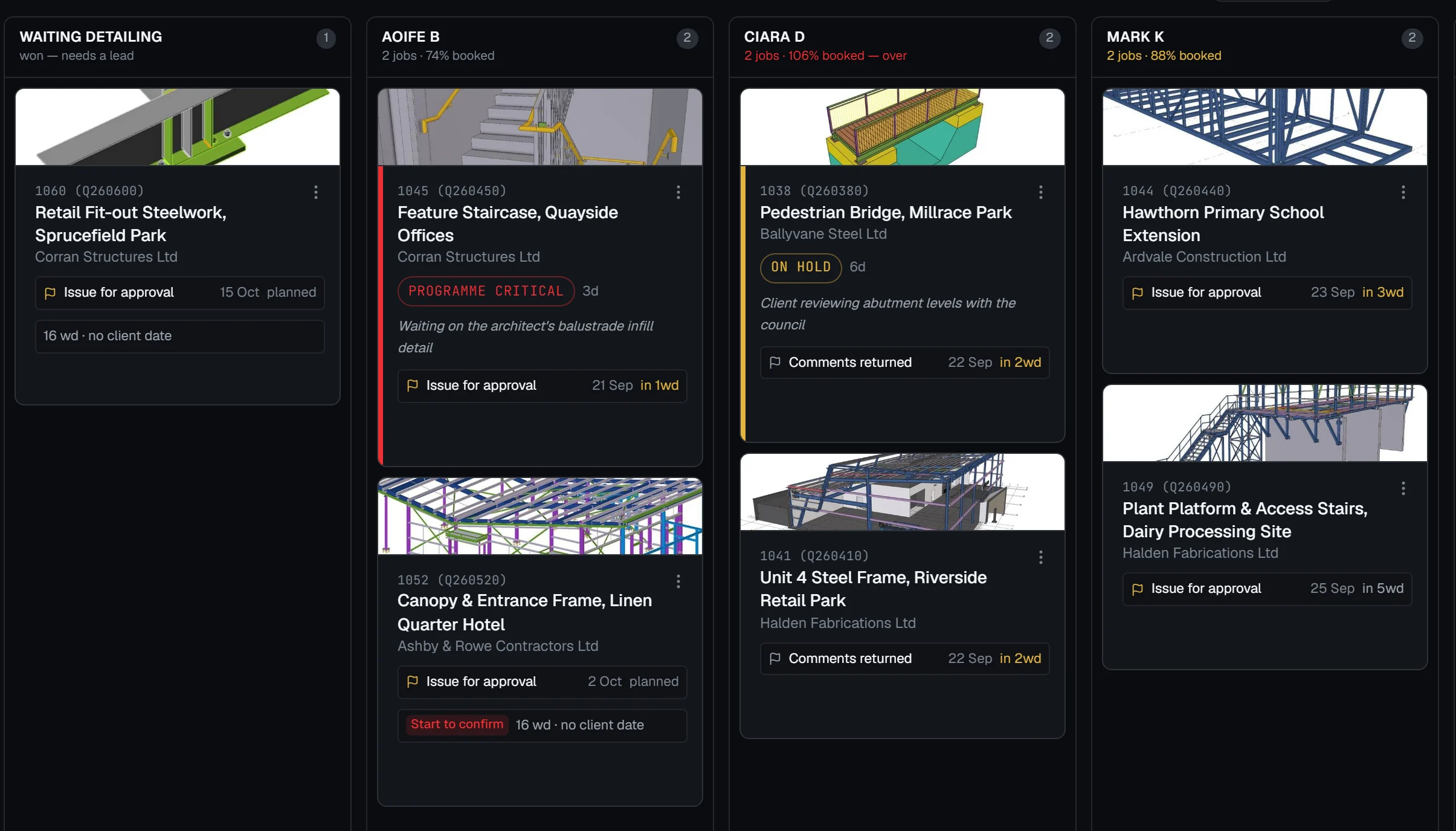
Every detailer's workload, at a glance.
Jobs sit in a column per detailer, each card carrying the drawing, the client, its status and the next gate, with every person's booked capacity along the top.
Estimate
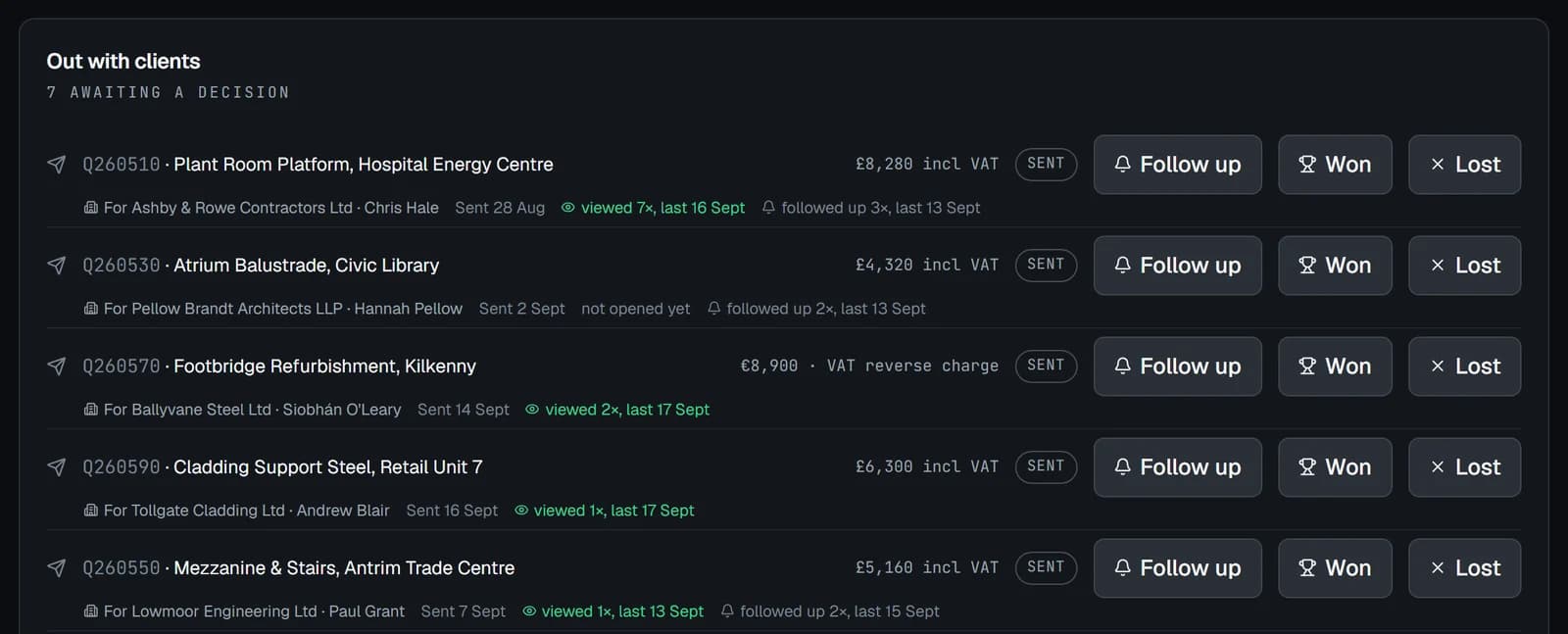
Know who has opened your quote, and when to call.
Every quote you send is tracked: whether it has been opened, how often, and when you last followed up. The warm ones show themselves.
Projects
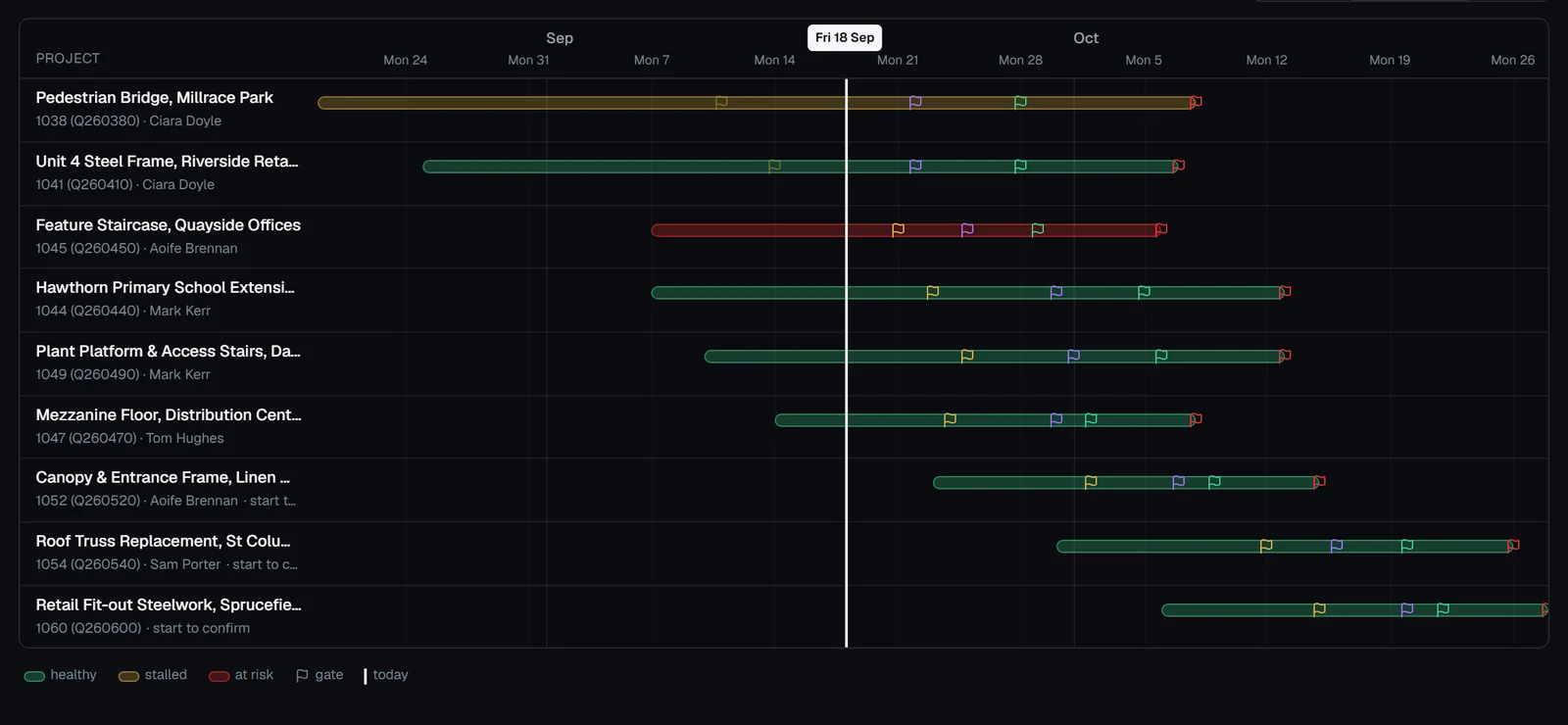
Every programme, on one screen.
Each job's gates on a shared timeline, marked healthy, stalled or at risk, so a slipping date shows up before the client has to ask.
Clients & CRM
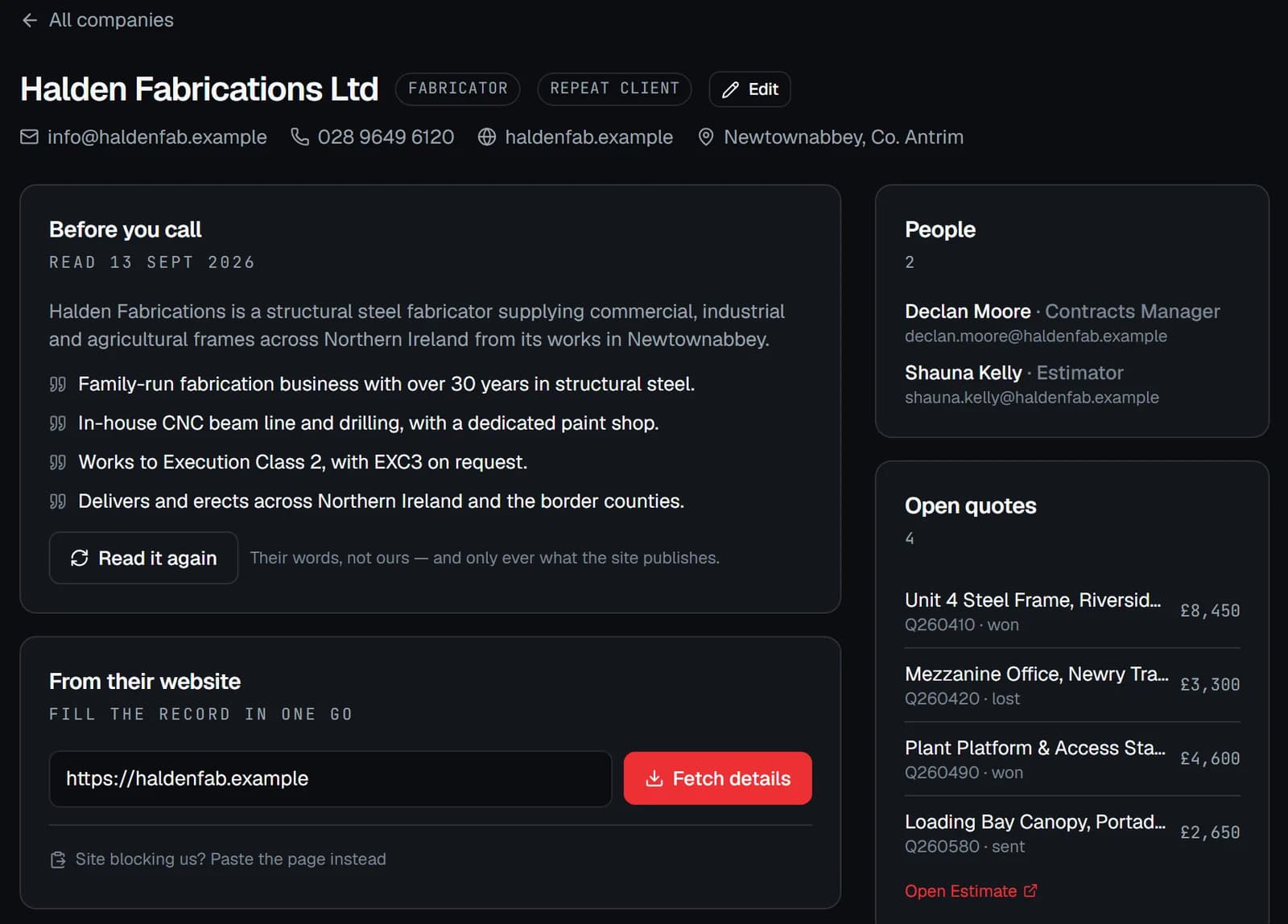
Know the firm before you pick up the phone.
Redpen reads a client's own website and keeps a short brief on their record, covering what they do and how they work, right beside their people and every quote you have sent them.
Estimate
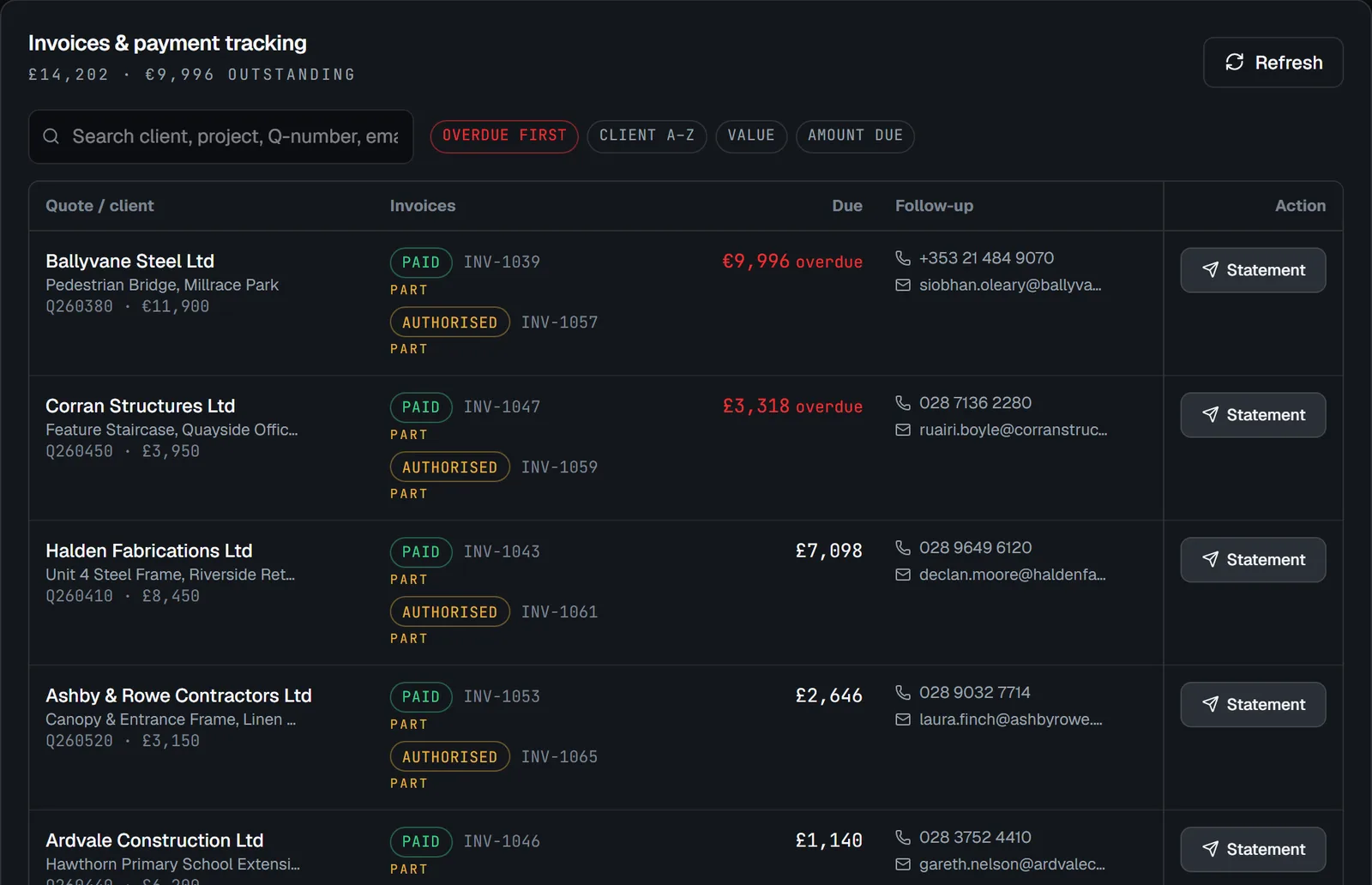
The money owed on every won job, in one list.
A won job carries into your accounts: deposits, balances and the variations agreed along the way, each matched back to the quote that won it, so what is outstanding and what is overdue is one list rather than a hunt through Xero.
Real Redpen screens, shown with an example workspace. Every firm, person and project in them is invented. The rest is better shown on your own work than described here.
See the rest →The difference
From scattered and manual to one system.
Without Redpen
- Quotes built from scratch in spreadsheets, every time.
- Clients and history scattered across inboxes and memory.
- Variations agreed on site, remembered differently later.
- A programme in a spreadsheet nobody has updated since March.
- Work started on a handshake, the deposit chased for weeks.
- “Where’s that at?” Asked by email, answered by guesswork.
With Redpen
- AI drafts and prices the quote with you, in minutes.
- Every client, quote and job connected in one place.
- Raised, priced and tracked through to the invoice.
- Drag the bar; the dates move and everyone sees it.
- Work starts when the deposit lands; the balance drafts itself.
- Your client sees their own jobs on a portal, live.
The platform
One platform, module by module.
● Live today · ○ In the works, under wraps
Estimate
● LiveAI-assisted quoting and negotiation. A short profile of your business tells it what you make and how you price it; it reads the enquiry, drafts the cover and prices the scope, and you review every line before it goes. Quotes version themselves when something changes after sending, and your client confirms the order online, with their PO.
Clients & CRM
● LiveEvery client, contact and firm in one book, with the history of what you’ve quoted and won attached, plus a directory of the people you actually work with across projects.
Projects
● LiveThe delivery side of the job, connected to the quote that won it: RFIs with pictures, variations, site diary, drawing register, and a programme you adjust by dragging the bars. Each version you agree with the client is kept, so a slip is always measured against what was promised.
Drawing approvals
● LiveIssue drawing packs to your client from Redpen. They mark them up on a phone or a desk, add a photo, and sign off, and a colleague can check the drawings before anything goes out. Every revision and comment stays with the job.
Invoicing
● LiveDeposits and balances raised from the quote that won the job: work starts when the deposit is paid, and the balance is drafted when the drawings go for approval. Use Xero, or send invoices, statements and reminders straight from Redpen.
Client portal
● LiveA scoped, read-only window for your customers to see their own jobs and where they’re at, under your name, not ours. Portal users are free and don’t count as seats.
Calendar
● LiveWho is on what, and when. A confirmed job books its lead’s time phase by phase, so the programme and the people agree with each other.
Where Redpen came from
Redpen started in a detailing office.
Redpen started inside a working steel detailing office, as the tool we built inside Tekla to run it, and it still runs it every day. It’s the reason the rest of the platform looks the way it does.
In that office, a fabrication pack went from roughly 45 minutes to about 4.
Not in early access · The Packer needs more work before it leaves our own office, and we’d rather say so than sell it early.
- 01 · Create
Pick parts in the model, choose the pack type, add issue flags.
- 02 · Check
Run quality-gate checks before anything leaves the office.
- 03 · Issue
Generate drawings, NC1/DXF, reports and the File Register in one pass.
- 04 · Transmit
A transmittal email drafted for review, never sent automatically.
- 05 · Ingest
Drag-and-drop markups, emails and signed drawings; Redpen files them.
- 06 · Approve
Track sign-off on a traffic-light matrix that gates release to fab.
Get started
Put Redpen on your next job.
We're opening Redpen to a few firms at a time so the rough edges get found on real work. Tell us about yours.